Built for the questions an examiner asks about software.
This page lists how each product handles identity, access, evidence, application security and operations. Where the two products differ, the table says so: we would rather you know exactly what each one does.
Cookie-only sessions, multi-factor sign-in, your own identity provider.
| Control | cognita dev | cognita grc |
|---|---|---|
| Passwords | Argon2id; 12 to 128 characters; the last five cannot be reused | bcrypt; at least 8 characters with upper case, lower case and a digit; the minimum is a setting. Directory and single sign-on accounts hold no password here |
| Corporate sign-in | Local accounts only | LDAP / Active Directory (the directory checks the password over LDAPS or StartTLS), SAML 2.0 and OpenID Connect with PKCE; assertions and ID tokens checked for signature, issuer, audience, validity and replay; accounts created on first sign-in with roles from directory groups; password sign-in can be limited to administrators |
| Multi-factor | Mandatory TOTP for every account; each 30-second code accepted once; 10 hashed recovery codes; secrets encrypted with AES-256-GCM under their own key | TOTP for every local and directory user who enrols; 8 single-use bcrypt-hashed recovery codes; each code accepted once; secrets encrypted at rest. Single sign-on accounts rely on the provider's MFA |
| Sessions | httpOnly, Secure, SameSite=Strict cookies; 15-minute access, rotating refresh (30 minutes idle, 8 hours absolute); at most three sessions per user | httpOnly, SameSite=Lax cookies with silent refresh; 30-minute access and rotating 7-day refresh, both settings; every sign-in is a named session the user or an administrator can end |
| Tokens | Never returned in a response body; Authorization headers are ignored, so only the cookie authenticates | Never returned in a response body; the browser app authenticates with the cookie alone |
| Failed sign-in | Identical response for every failure, padded to a 500 ms floor; lockout after 5 failures in 15 minutes, doubling up to 24 hours | Identical status, text and timing for unknown users, wrong passwords, locked accounts and accounts that sign in elsewhere; lockout attempts and duration are settings; directory failures count too |
| Step-up | A fresh code for sign-off, role changes, MFA resets and AI allowlist changes | The password again (checked by the directory for directory accounts) to turn two-factor on or off, change a security setting, or add or change a sign-in provider |
| Revocation | Logout, password or MFA change, role change and deactivation take effect on the very next request; replaying a rotated refresh token revokes the whole session family | Role change, deactivation, password reset or MFA reset ends all of the user's sessions immediately; ending one session blocks its tokens within the minute |
Protected by default, least privilege by design.
In both products every router except sign-in (and, in cognita grc, the single sign-on replies) sits inside a protected router, so a new route cannot ship unauthenticated. A test walks every route the application serves and fails if one answers without a session, and names the public ones exactly.
24 named permissions across five roles
Each endpoint declares the permission it needs from one seeded table, and code never compares role names. Projects outside your scope answer 404. Administrators run the system and see no project content.
Roles per module, mirrored in the interface
A role grants view or edit on each of 33 modules plus platform permissions; four built-in roles ship and administrators add their own. Every route of a module requires view access to it and its writes require edit; the sidebar, the dashboard and Ask AI follow the same grants. The last active administrator can never be removed. File Vault contents answer 404 to anyone but their owner.
Every action on the record, and the record protected.
cognita dev: a hash-chained, append-only log
- Each event stores the previous hash and
SHA-256(previous hash + event), written in the same transaction under a lock - The table refuses UPDATE, DELETE and TRUNCATE; the application's database role may only insert and read it
- If the audit write fails, the change it describes rolls back
- The chain is verified every night, and on demand from the audit screen
- Evidence packs carry a SHA-256 manifest that a standard-library script verifies offline
cognita grc: broad, non-blocking capture
- Sign-ins and failures, MFA events, password and admin changes, creates, updates and deletes, imports, exports and AI actions
- Written in the background with their own database session, so auditing never slows a request
- Searchable and filterable, with CSV export for reviewers
 cognita dev · /audit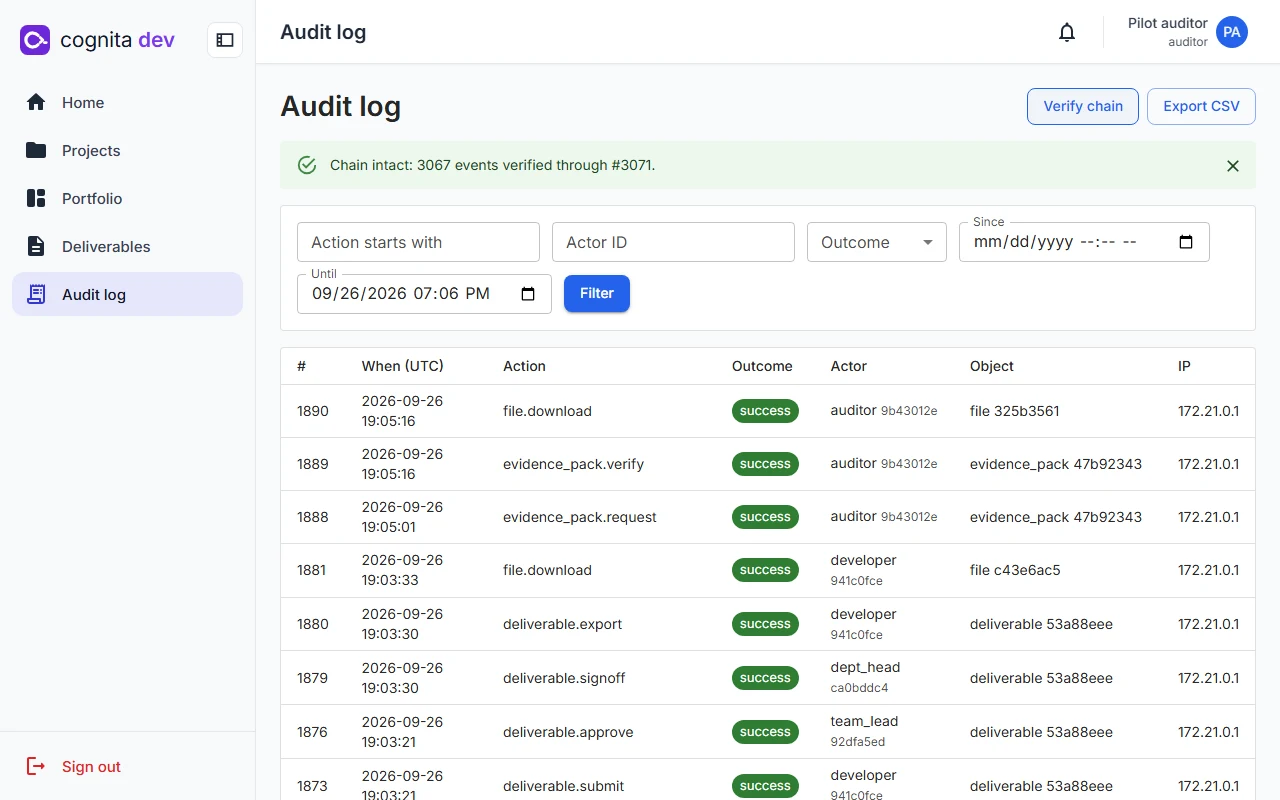
Hardened in the code, the containers and the network.
| Area | cognita dev | cognita grc |
|---|---|---|
| Browser protections | Nonce-based content security policy with no unsafe-inline, HSTS, cross-origin isolation headers | Content security policy, nosniff, frame denial and a strict referrer policy on API responses; HSTS once on HTTPS |
| Cross-site requests | State-changing calls need a custom header and a matching origin; no CORS | Same-origin deployment and SameSite cookies |
| Rate limits | Sign-in 5 a minute per address and 20 an hour per username; AI 10 a minute and 200 a day; 300 a minute otherwise | 60 a minute by default, 5 a minute for sign-in, and tighter limits on 50 sensitive endpoints |
| Uploads | Typed by content; archives limited to 1,000 entries, 200 MB and a 100:1 ratio; HTML refused; optional ClamAV | Leading-byte checks, size caps, generated names, path-traversal and Zip Slip protection |
| Exports | Every text cell escaped against spreadsheet formula injection. | |
| Containers | Non-root, read-only root filesystem, all capabilities dropped, no-new-privileges, images pinned by digest | Only nginx published; API, database and Redis on the internal network |
| Outbound traffic | Only the worker has a route out, through a proxy that allows the model providers' hosts alone | Only to the AI provider you enable and to osv.dev for SCA reviews |
| Secrets and logs | Docker secret files; refuses to start without its keys; structured logs through a redaction filter | Docker secrets for the signing key and the model key; generic error responses with nothing internal in them |
The controls your model risk team will ask for.
Neither product lets AI take an action on its own. Both let an administrator switch AI off for everyone, and both keep a record of what the AI was asked to do.
Allowlist and classification
cognita dev allows each model per role and up to a data classification ceiling (Public, Internal, Confidential, Restricted); an empty allowlist means AI is off. cognita grc accepts only named Gemini models and your on-premises vLLM model.
Kill switch
Checked on the server at the one point every AI request passes through, cached briefly and failing closed if the setting cannot be read.
Prompt hygiene
Documents are passed as labelled data. The cognita grc assistant receives counts only, and links it produces to outside sites are stripped before you see them.
Budgets and provenance
cognita dev caps tokens per user and per project and records model, prompt version, input hashes, tokens and cost for every call.
Your data stays in your database, on your hosts.
Self-hosted
No telemetry and no vendor cloud. The only outbound calls are to the AI provider you enable; with an on-premises vLLM model, in either product, prompts stay on your hardware.
Nothing extra in the side channels
cognita dev notifications carry IDs and keys, never document content; Redis never holds a business record. cognita grc strips hostnames from privilege-review prompts.
Nothing quietly deleted
cognita dev never hard-deletes records and retains them for seven years by default. cognita grc includes the audit trail in every export, because it is evidence.
Backups you have actually restored.
RPO 1 hour, RTO 4 hours
Nightly encrypted backups of the database and files (AES-256 with PBKDF2 at 200,000 iterations, a SHA-256 manifest and 14-day retention), write-ahead log archived at least hourly, and a restore drill in CI that restores into a scratch database and checks row counts and the audit chain.
Scheduled snapshots with a manifest
Nightly SQL and custom-format dumps plus the uploads archive, on a schedule and retention set in Settings. Both dumps are read back and checked against live row counts before the manifest is written; exports move data between environments with the schema revision embedded.
Fast where people wait.
cognita dev targets
p95 under 300 ms for reads and 600 ms for writes at 200 concurrent users; AI jobs start within 2 seconds. A 50-user run on a laptop measured reads at 14–24 ms p95 and writes at 76–77 ms, with no failures.
cognita grc at scale
Server-side paging, filtering and sorting on the large registers, so the asset inventory stays responsive at thousands of rows; four API workers in production.
Caching that never stalls
cognita grc caches lists in Redis, invalidates them on every change and sweeps keys with non-blocking scans.
Light pages
Pages load only when opened, hashed assets are cached as immutable, and long AI calls get their own timeouts.
Usable by keyboard, checked by machine.
cognita dev targets WCAG 2.1 AA. Automated axe checks run on ten key screens and fail the build on any serious or critical issue, and a keyboard navigation test covers the main flows. Both products use MUI components with labelled controls and visible focus.
 cognita grc · /account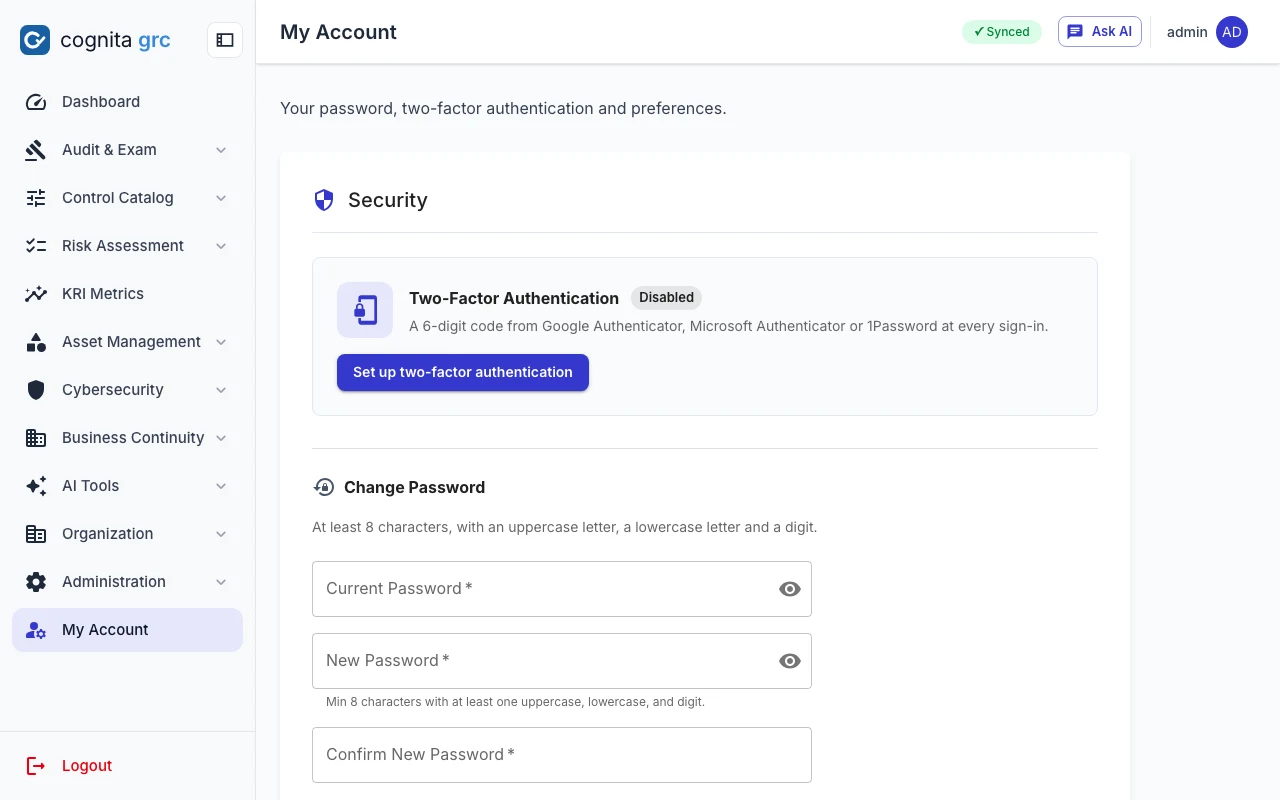
Every change passes the same checks before it merges.
Security tests are the merge gate
- 22 acceptance tests from the requirements, never skipped or weakened
- ruff, mypy, eslint and TypeScript checks; pytest with coverage against PostgreSQL
- Bandit, Semgrep, pip-audit, npm audit and Trivy on every image
- Compose smoke test of headers, CSP nonce, egress allowlist and metrics
- Five Playwright scenarios, including accessibility, and the restore drill
- Nightly OWASP ZAP baseline; weekly Trivy scan that opens an issue when a fix appears
218 tests on what is easiest to break
- Every router except sign-in requires a session
- One case per role per guard in the permission matrix
- Failed sign-ins indistinguishable in status, text and timing
- Tokens only in cookies; logout ends the session
- The API still answers when Redis is unreachable
- Bulk edits write only the fields given; File Vault files unreadable by anyone else
cognita helps you run and evidence your controls. Using it does not by itself make an institution compliant with any law or framework.
Need the detail for a vendor or architecture review?
We can share the control list, the test suites and the deployment guide with your security and risk teams.