 cognita dev
The software lifecycle, gated and on the record.
cognita dev takes an IT change from IT Committee approval to post-implementation review. AI drafts each deliverable from the project's own records. People review, approve and sign off. Auditors read a tamper-evident trail and verify the evidence themselves.
/projects/PRJ-2026-036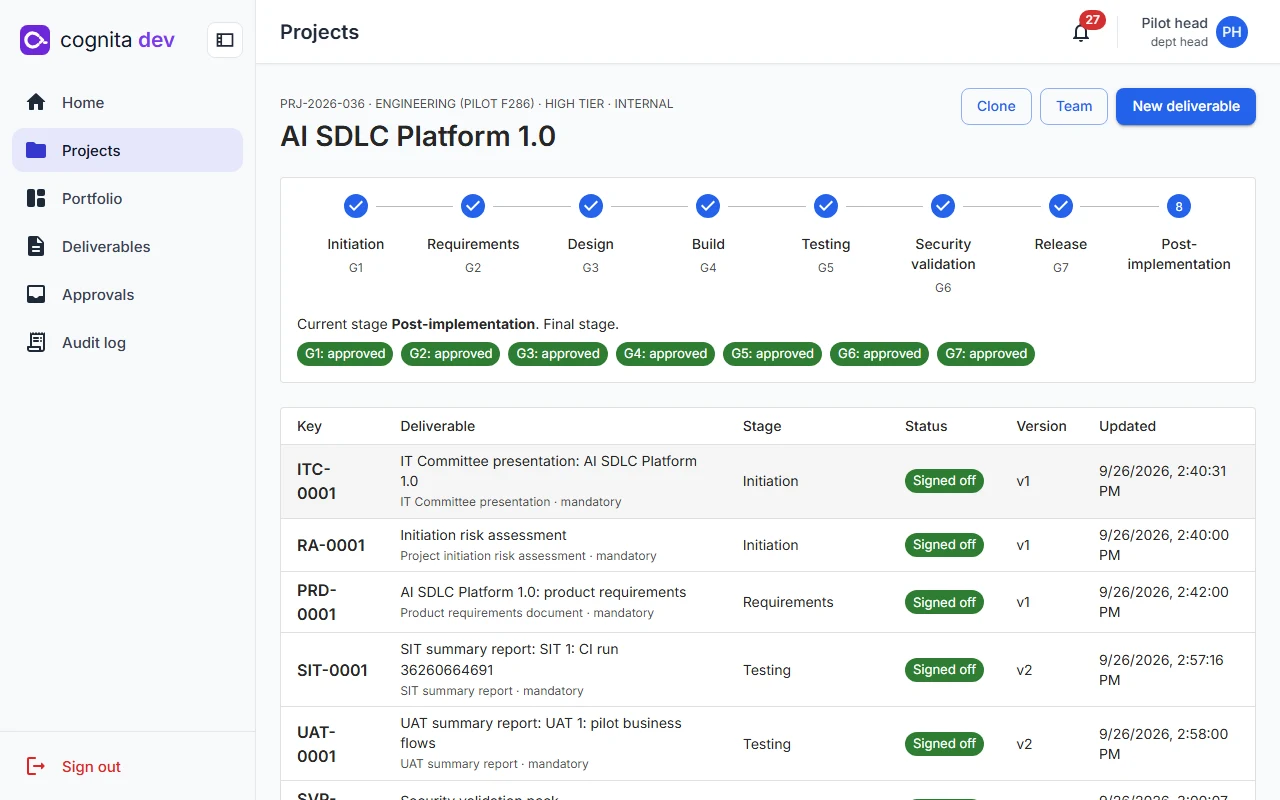
- Stage stepper. Where the project is, and whether the next gate is ready.
- Gate decisions. Each recorded by the Department Head with the evidence it rested on.
- Deliverables. Status and version of every document the stages require.
A project enters the next stage only when this one is signed off.
Every gate checks records, not promises: which deliverables are signed off, what the tests and assessments say, which risks were accepted and until when. What each gate needs depends on the project's tier.
- Stage 1InitiationIT Committee deck, initiation risk assessment
- G1Stage 2RequirementsPRD with requirement IDs
- G2Stage 3DesignData flow diagram, design references
- G3Stage 4BuildApproved test cases
- G4Stage 5TestingSIT and UAT summary reports
- G5Stage 6Security validationSix assessments, findings, validation pack
- G6Stage 7ReleaseChange request, rollback plan, readiness review
- G7Stage 8Post-implementationPIR; its sign-off closes the project
| Gate | Closes | Opens when |
|---|---|---|
| G1 | Initiation | The IT Committee presentation and the initiation risk assessment are signed off. |
| G2 | Requirements | The PRD is signed off. An RTM baseline is stored automatically. |
| G3 | Design | Per-tier rules the administrator can tune: medium and high tiers need a saved context DFD; high tier needs every Must requirement linked to a design element. |
| G4 | Build | At least one test case is approved. |
| G5 | Testing | SIT and UAT summary reports are signed off. An RTM baseline is stored. |
| G6 | Security validation | Every mandatory assessment passed, and no Critical or High finding is open without an unexpired risk acceptance. A fix counts only after a retest. |
| G7 | Release (go/no-go) | Change request, rollback plan and readiness review are signed off; no open Sev 1–2 defect without an accepted risk; any failed readiness check is acknowledged on the record. |
Typed, versioned and hashed, not free-form documents.
Each deliverable is structured JSON built from a template and edited section by section, with guidance under every section. Exports carry the version's SHA-256 on every page.
- Ten templates, from the IT Committee deck to the post-implementation review
- Autosave every 10 seconds, with a warning when someone else saved first
- Comments anchored to sections; submission waits until required sections are filled
- Sections computed from records (test metrics, findings, gate checks) are read-only
- Export to Word, PDF and PowerPoint, with an approvals and signature table once signed off
/deliverables/PRD-0001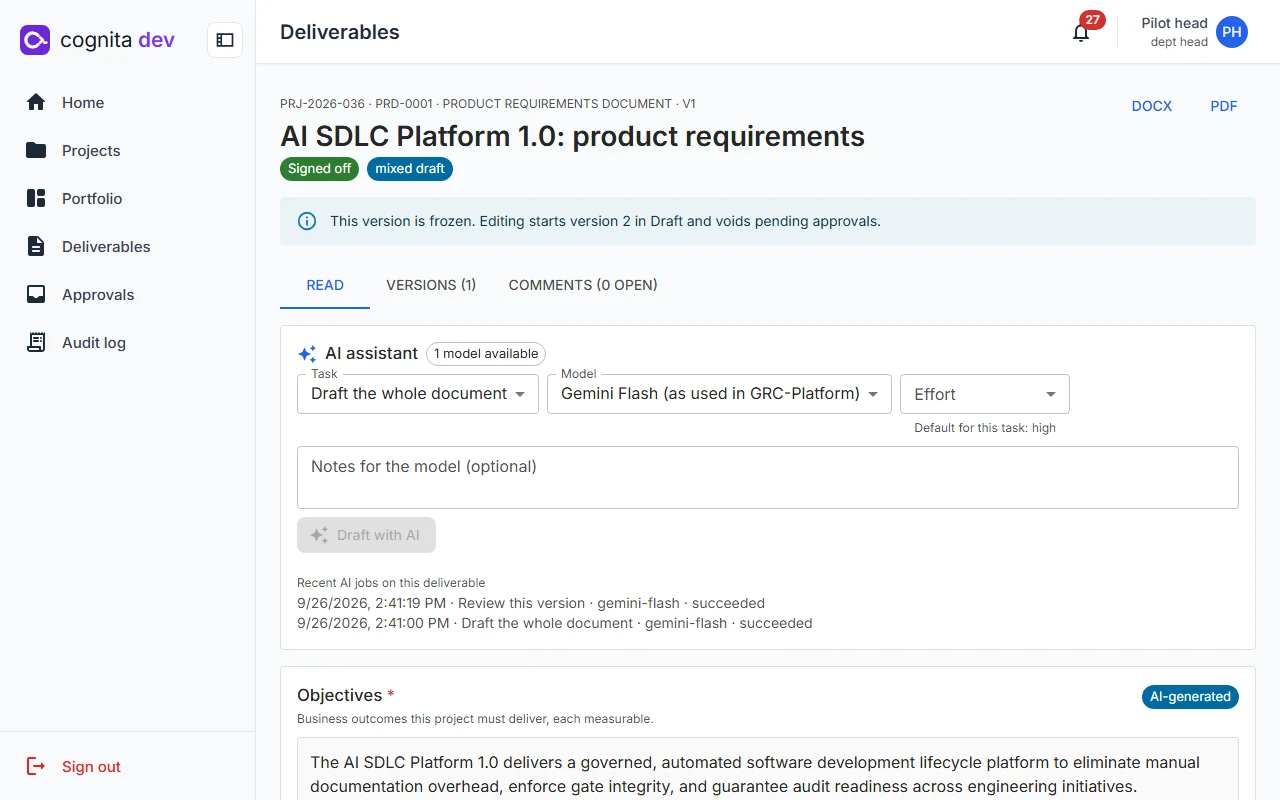
Every submitted version is frozen with its hash.
Submitting freezes the version and computes its SHA-256 over canonical JSON. Editing afterwards starts a new draft and voids pending approvals. A signed-off version never changes.
- Each version shows whether a person, AI or both wrote it
- Compare any two versions section by section, with provenance on each side
- The approval trail lists who approved, when, and the statement they signed
/deliverables/PRD-0001 · Versions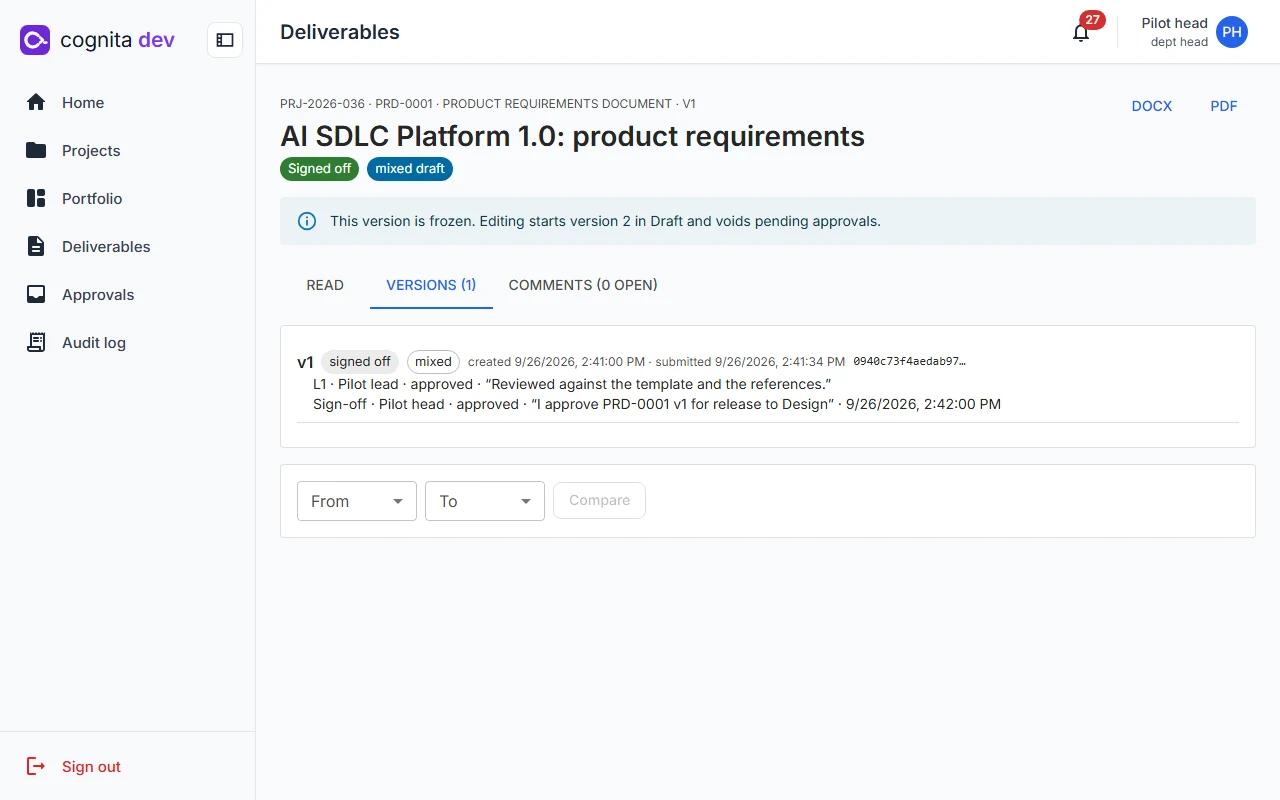 /deliverables/SIT-0001 · Compare v1 → v2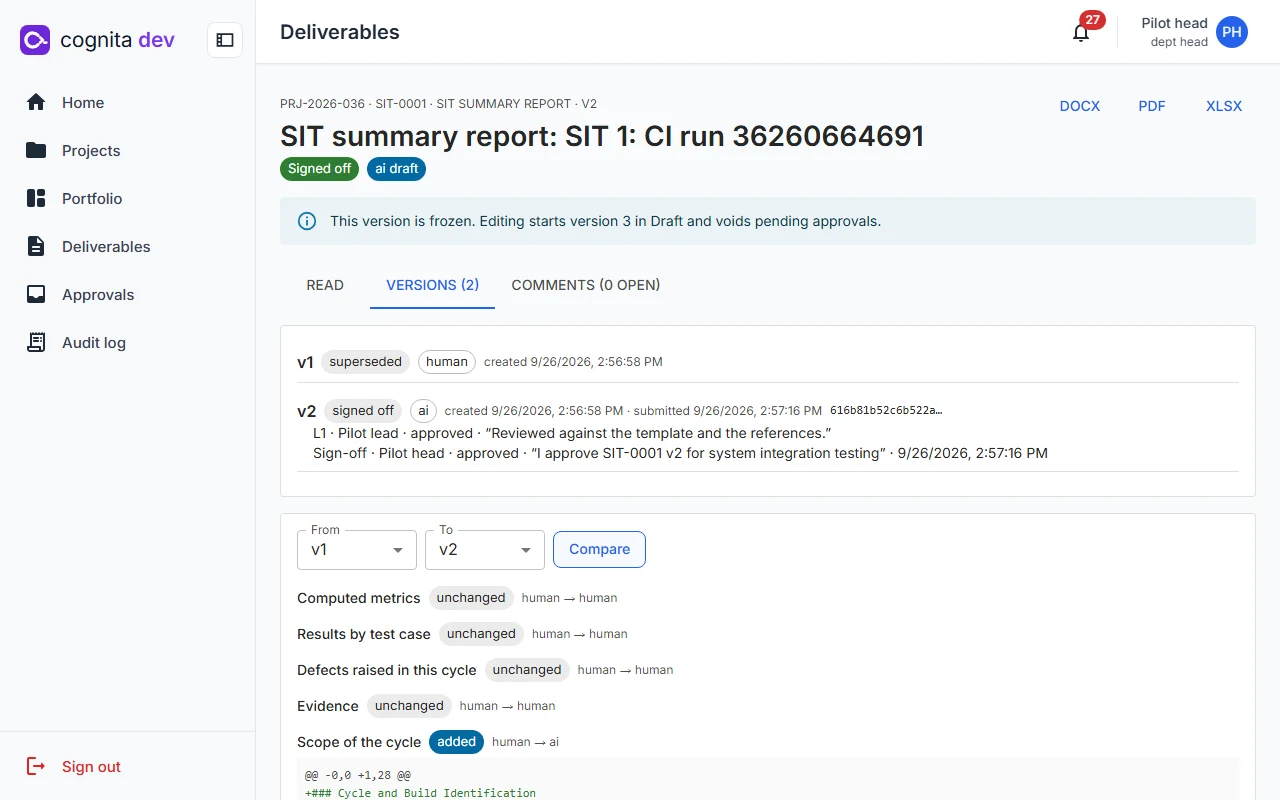
Start from the catalog, or on its own outside a project.
The Deliverables module lists all ten types with a worked example of the data each needs, its format and what it generates. Five of them can be created on their own, with the same AI drafting, reviews, sign-off and exports as inside a project.
/deliverables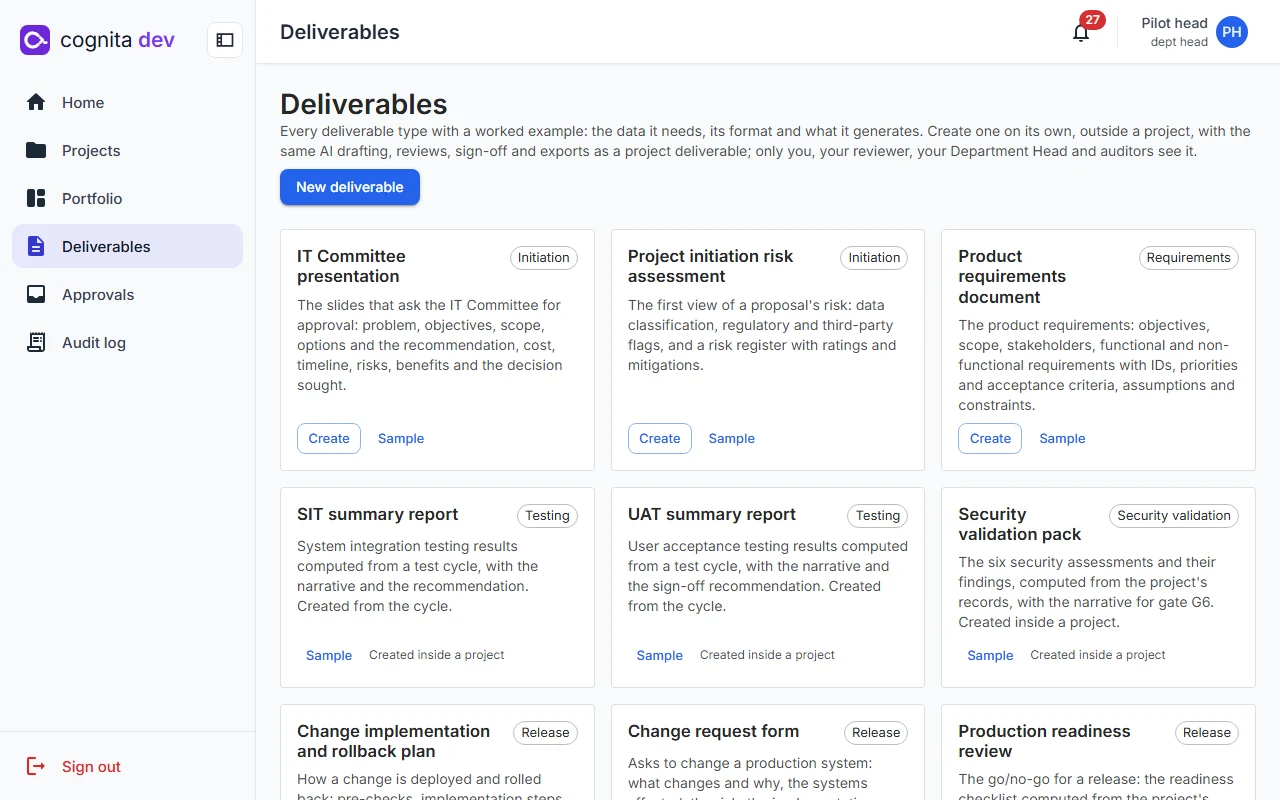
Nobody approves what they wrote, or a version they did not see.
Sign-off is an electronic signature: a fresh authenticator code, a meaning statement, and the exact version hash the approver saw. If the version changed underneath them, nothing is recorded.
Sign off ITC-0001 v2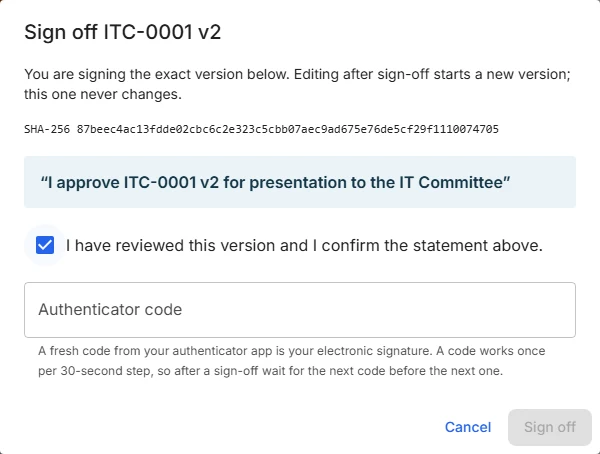
Maker-checker
Authors and editors of a version cannot approve it, one person cannot give both approvals, and administrators cannot approve at all.
Two levels
A Team Lead or Department Head gives the first approval; the Department Head signs off.
Bound to the hash
Approve and sign-off requests carry the hash the approver saw. A mismatch returns an error and records nothing.
Kept with the document
Signer, time, meaning, hash and authenticator time are stored and printed on the signed export.
New individual deliverable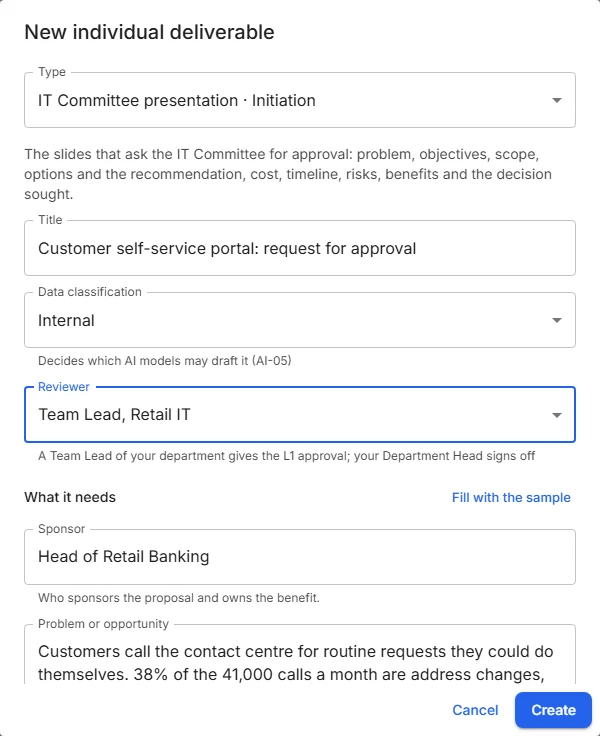
Six AI tasks, one gateway, full provenance.
AI writes first drafts, reviews versions, rewrites sections, drafts the context diagram, proposes trace links and generates test cases. It never submits, approves or signs off, and nothing it writes takes effect until a person applies it.
- Allowlist. Models are enabled per role and per data classification ceiling; Restricted projects may use only the on-premises model.
- Budgets. Token limits per user and per project each month, a cap per request and two running jobs per user.
- Emergency stop. One switch, checked at the request and again in the worker, failing closed.
- Provenance. Model, prompt template version, input record and file hashes, tokens, cost and outcome for every call.
- Guarded inputs. Reference files are passed as delimited data; the model gets no tools and its output is schema-validated.
- Providers. Anthropic Claude, Google Gemini or vLLM on your own GPU, plus a deterministic mock for testing.
/admin/ai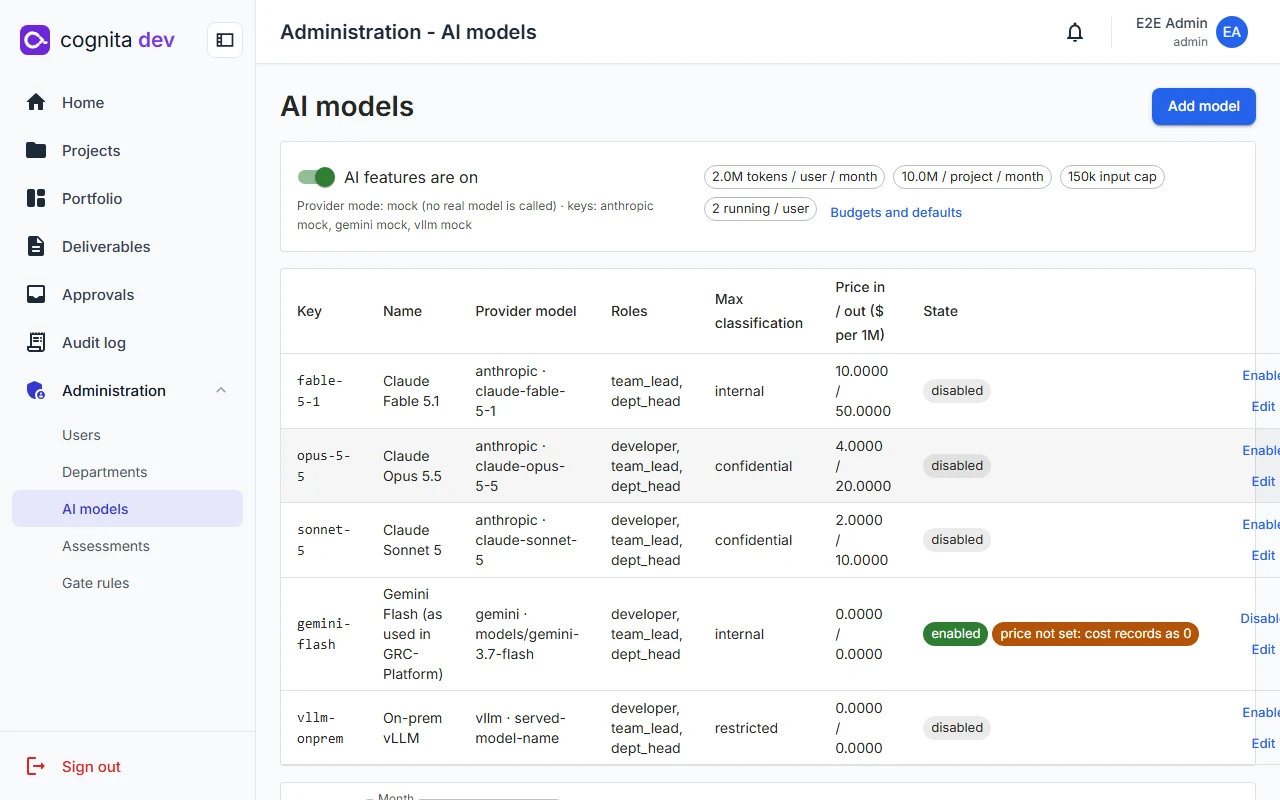
The traceability matrix is computed on every read, never typed.
Requirements come from the PRD's tables. Trace links connect them to design elements, test cases, defects, findings and change requests. Gaps show up the moment a link is missing or a test fails.
/projects/PRJ-2026-036/rtm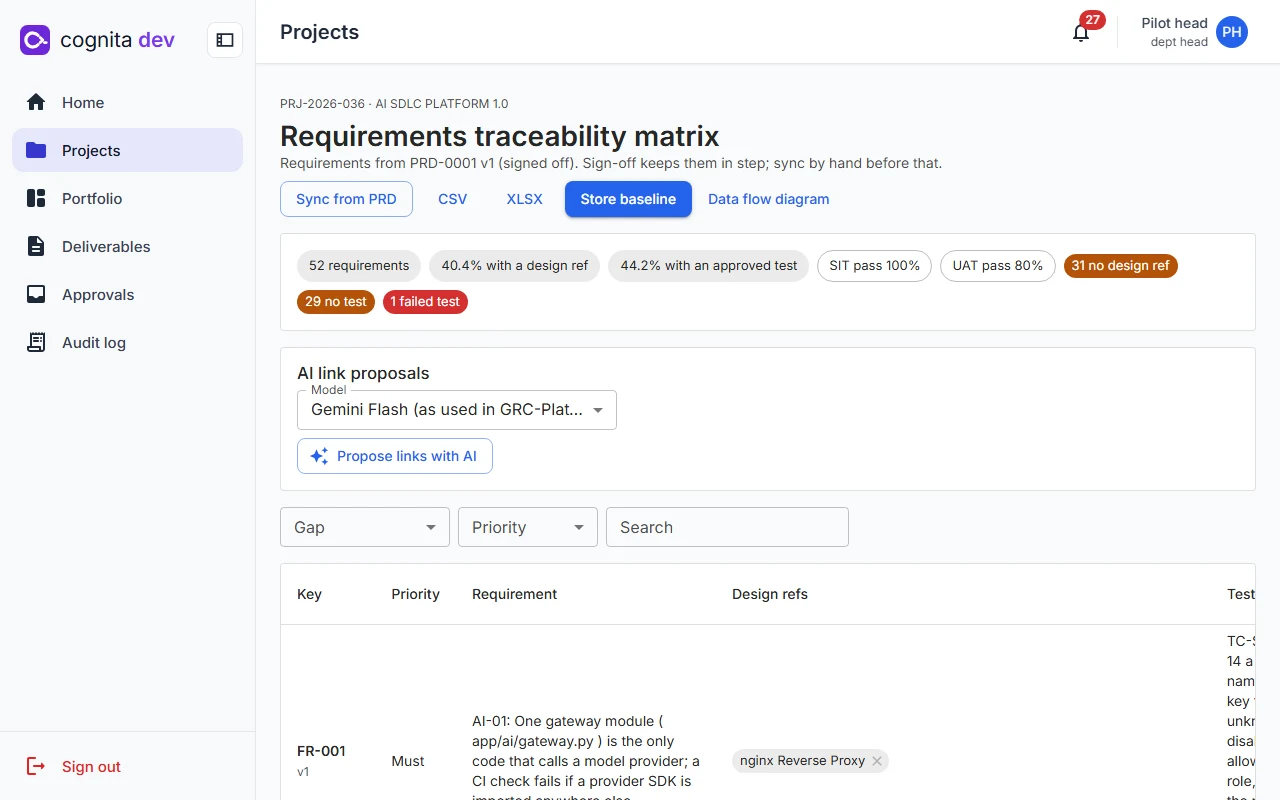 /projects/PRJ-2026-036/dfd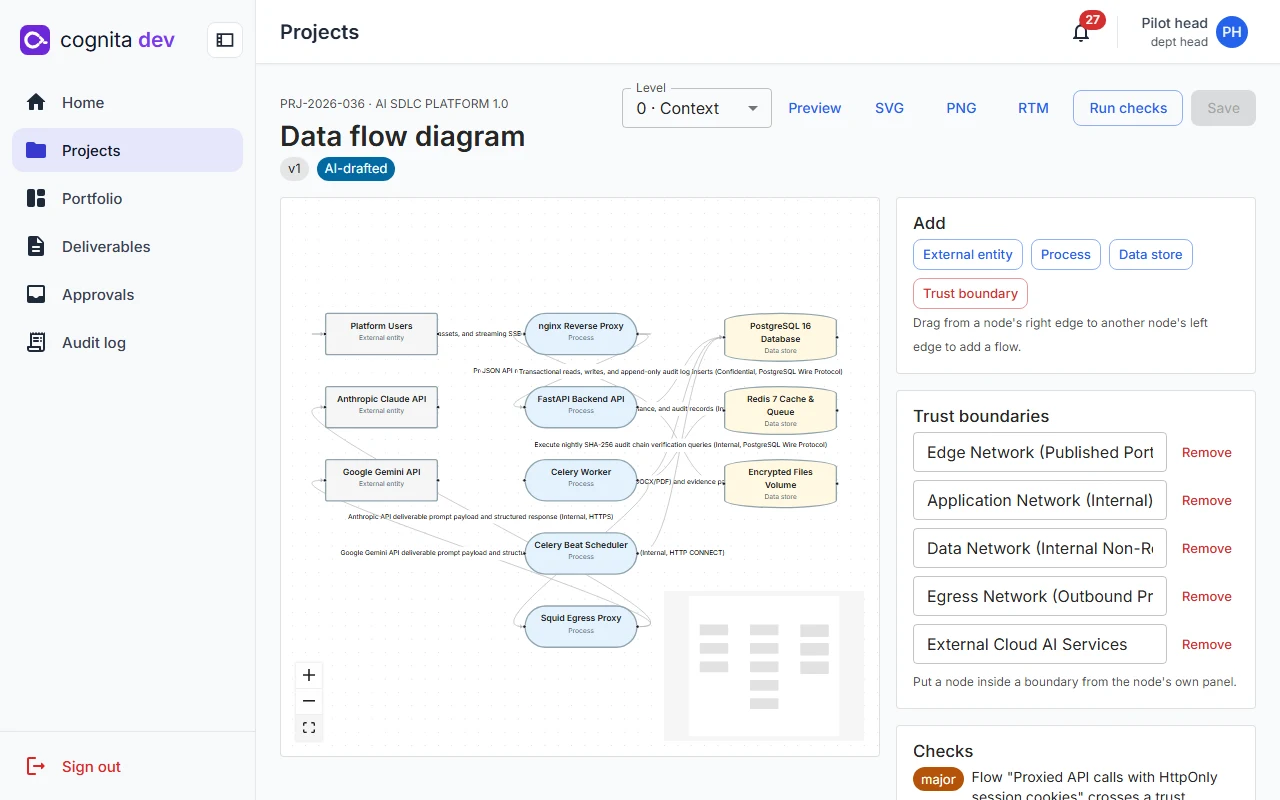
SIT and UAT with the evidence attached where it happened.
- Versioned test cases approved by a Team Lead; editing an approved case starts a new version
- AI generation of positive, negative, boundary and UAT cases, with likely duplicates flagged
- CSV and Excel import of up to 2,000 rows, validated row by row before anything is saved
- An execution runner where a failed test always raises a defect, and a passing retest can close it
- Evidence dropped onto an execution or the whole cycle, hashed, and read-only once the report is signed
- UAT sign-off is blocked while a Sev 1 or 2 defect is open, unless a Department Head accepts the risk
/projects/PRJ-2026-036/testing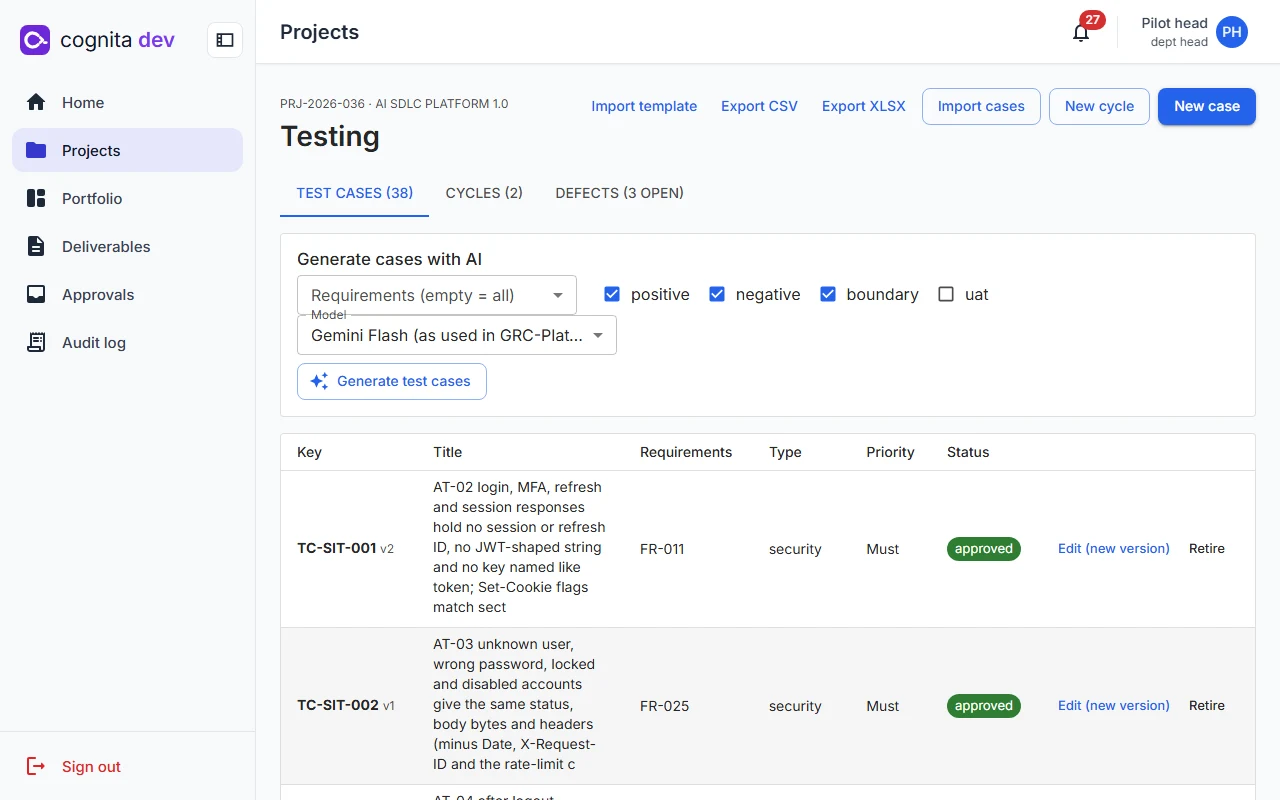
Six assessments stand between testing and release.
Information security testing, data movement control, SAST, DAST, SCA and vulnerability scanning, each mandatory by tier. Findings carry CWE or CVE references, owners and due dates, and link back to requirements and data flows.
- A fix closes a finding only after a retest
- Department Head risk acceptances carry a reason and an expiry date
- The validation pack flags findings tied to Must requirements or boundary-crossing flows
/projects/PRJ-2026-036/security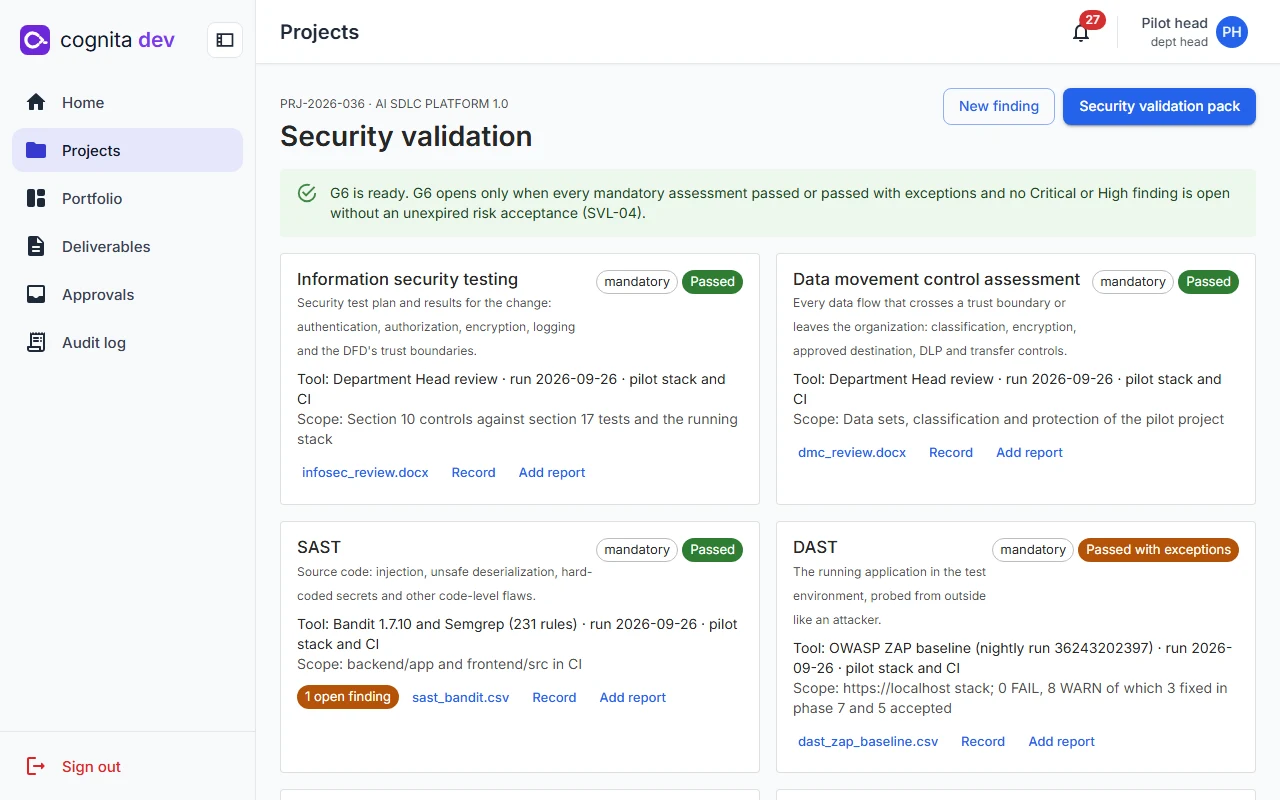
Go/no-go from computed checks, then an evidence pack anyone can verify.
The production readiness review lists the checks the platform computes from records. Emergency changes stay flagged until their test evidence is attached. The post-implementation review closes the project for good.
/projects/PRJ-2026-036 · Release and evidence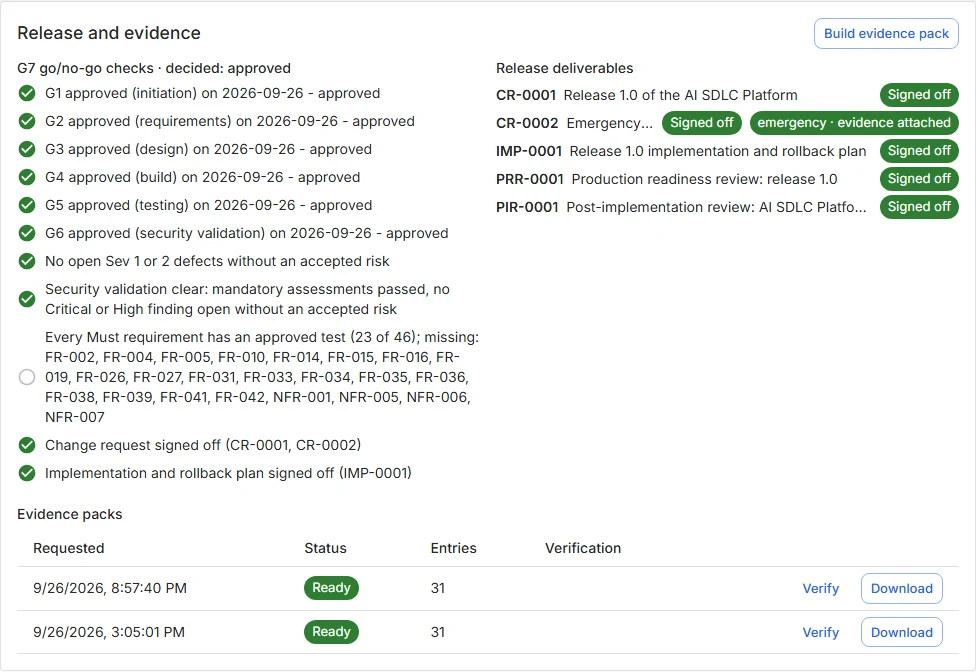
What the evidence pack holds
- Every signed-off deliverable as PDF
- The current RTM and every stored baseline
- Uploaded test evidence and security reports
- Approvals with hashes, meaning statements and authenticator times; gates, cycles and defects
- The project's hash-chained audit rows
- A manifest with every file's SHA-256, checkable in the product or offline with a standard-library script
/portfolio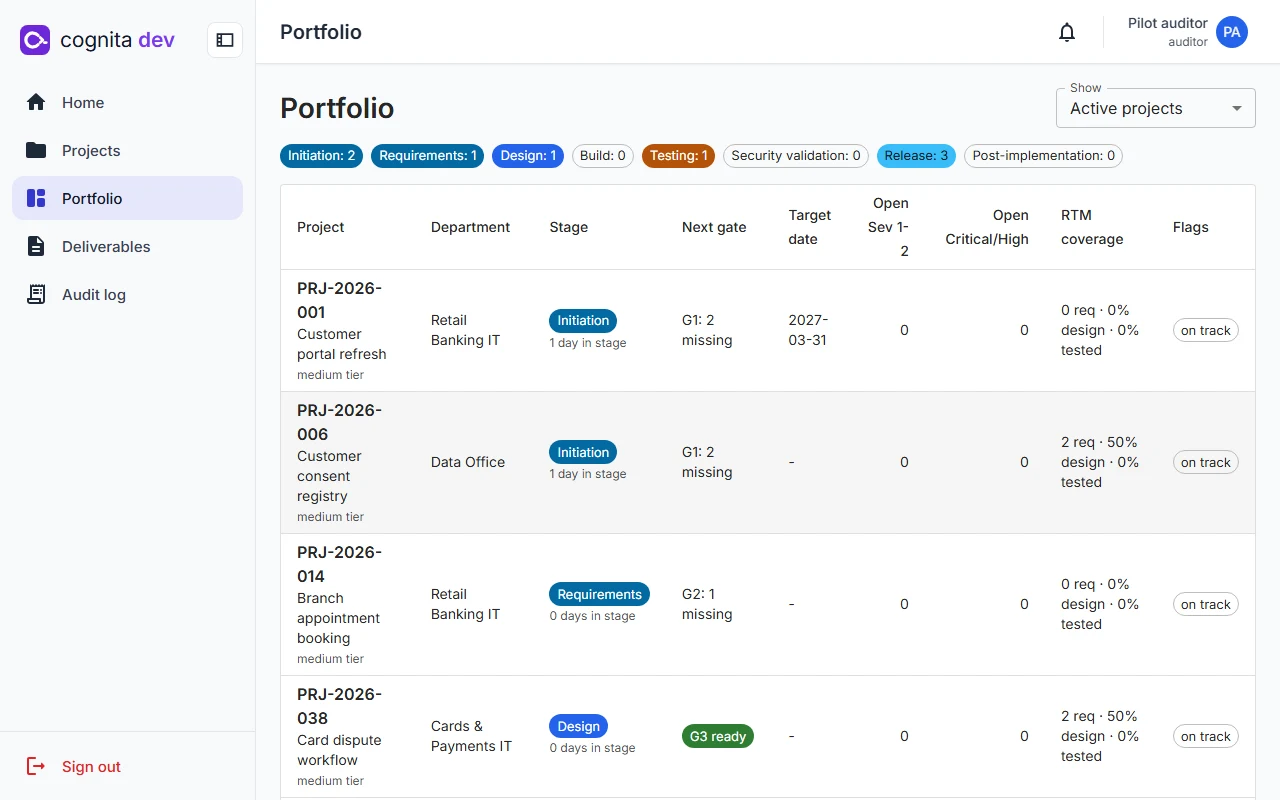
Five roles, 24 named permissions, one seeded table.
Every endpoint declares the permission it needs, and code never compares role names. People see only their own projects; Department Heads see their department; auditors see everything, read-only, and every view is itself audited.
| Capability | Developer | Team Lead | Dept Head | Auditor | Admin |
|---|---|---|---|---|---|
| Write and submit deliverables, run AI, execute tests | ✓ | ✓ | ✓ | – | – |
| Create projects, manage members, first-level approval | – | ✓ | ✓ | – | – |
| Final sign-off, gate decisions, risk acceptance | – | – | ✓ | – | – |
| Export evidence packs | – | ✓ | ✓ | ✓ | – |
| Portfolio and audit log | – | – | ✓ | ✓ | audit log |
| Users, sessions, AI models, templates, settings | – | – | – | – | ✓ |
Administrators run the system and see no project content.
cognita dev ran its own release through all eight stages.
Before release, the platform took its own version 1.0 from intake to closure. A script drove the API with a live model, drafting every deliverable from the repository's own material and attaching real test and security evidence.
- 22AI jobs drafted the deliverables, the context diagram and the test cases.
- 52 · 38Requirements traced, and test cases approved and run.
- 31Files in the evidence pack, verified online and offline.
- 1,890Audit events at closure, with the hash chain intact.
The pilot's 24 findings were fixed before release. The project screenshots on this page come from that pilot.
Targets written down, and measured.
| Attribute | Target | Measured so far |
|---|---|---|
| Response time | p95 under 300 ms for reads and 600 ms for writes at 200 concurrent users | 50-user run on a laptop: 0 failures, reads p95 14–24 ms, writes 76–77 ms. The 200-user run on production hardware is pending. |
| AI jobs | Start within 2 s; a full draft within 3 minutes | Pilot drafts took 9–21 seconds. |
| Recovery | RPO 1 hour, RTO 4 hours; quarterly restore drill | The restore drill runs in CI on every pull request and verifies row counts and the audit chain. |
| Availability | 99.5% during business hours | Single-host Compose deployment with health checks on every service. |
| Security baseline | OWASP ASVS Level 2 and the OWASP Top 10 | No high or critical findings in the hardening phase; nightly OWASP ZAP baseline. |
| Accessibility | WCAG 2.1 AA; every flow works by keyboard | axe checks on 10 screens fail the build on any serious or critical issue. |
| Capacity | 500 active projects, 1,000 users, 2 TB of evidence | Designed for one organisation per installation. |
See a change go from intake to PIR.
We will walk a project through the gates, sign a deliverable, and verify an evidence pack in front of you.